Milometry
Fine-tuning how trips start and stop
The Tracking settings that decide what counts as a drive, where one can start, when it ends and how still is still, and which one to change when walks get recorded or drives go missing.
Chapters
Transcript
General information, not advice. Written as general information on 29 September 2026. Details change, so check the official source or a qualified professional before you rely on it. This is not legal, tax or financial advice.
Most people never need these settings. They are for the cases the defaults get wrong: walks recorded as drives, trips that start while you are on foot at work, drives cut in two at a long stop, or the start of a drive going missing. Each one fixes a particular problem, so change one at a time and see how the next few days go.
They are all in Settings → Tracking, and they only appear when Auto-record or Ask me afterwards is chosen.
Safety reminder
At the top, under Safety, Safety reminder shows a warning not to use your phone while driving every time you start a trip yourself. If you switch it off, the app asks you to confirm that you will not use your phone while driving and that using it safely and within the law is your responsibility. We suggest leaving it on.
1. What counts as driving
Leaving where you parked is what starts a trip, and walking away looks the same to the phone as driving away. So recording starts quietly, and only becomes a trip once something reaches this speed. A walk is thrown away without ever being announced.
The choices are 7, 11, 16 and 22 mph (or the same in km/h on a metric scheme). The default is 11 mph.
- Walks or bike rides keep being recorded: raise it.
- Slow town driving goes missing: lower it.
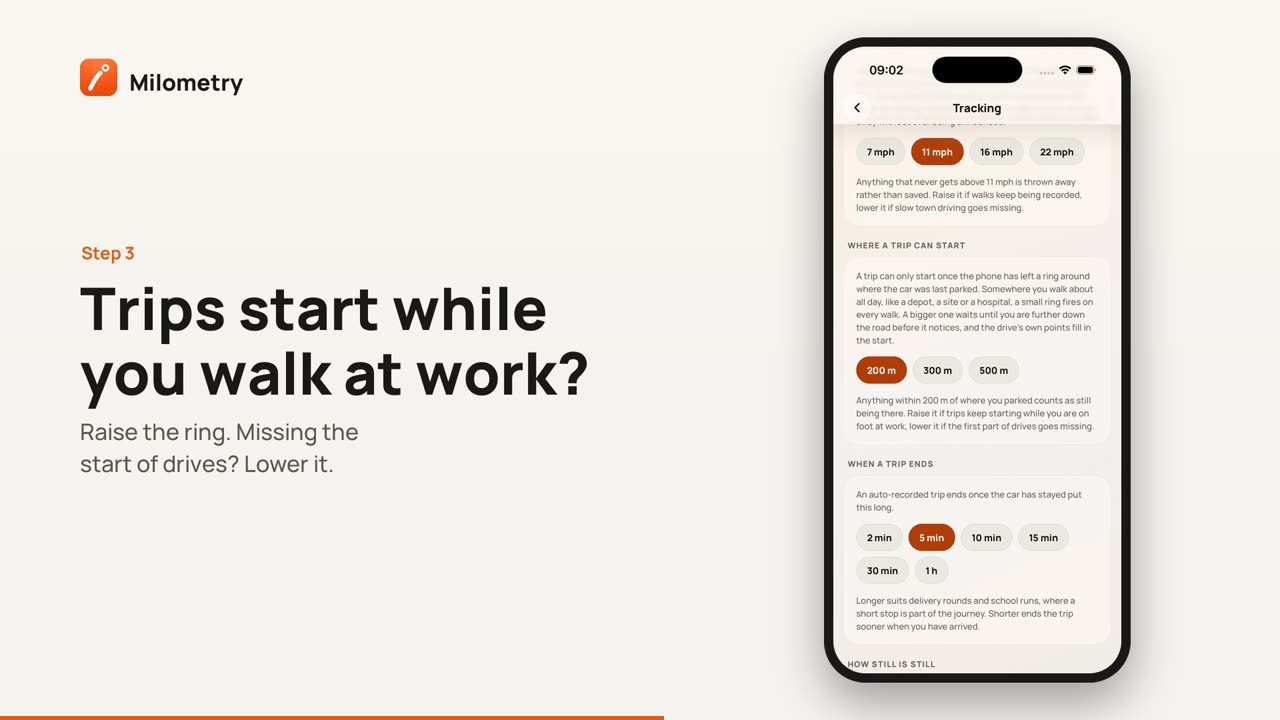
2. Where a trip can start
A trip can only start once the phone has left a ring around where the car was last parked. Anything inside it counts as still being there.
- On iPhone the choices are 200, 300 and 500 metres, and the default is 200.
- On Android they are 120, 200, 300 and 500 metres, and the default is 120.
Somewhere you walk about all day, like a depot, a building site or a hospital, a small ring fires on every walk. A bigger one waits until you are further down the road, and the drive's own points fill in the start.
- Trips keep starting while you are on foot at work: raise it.
- The first part of drives goes missing: lower it.
3. When a trip ends
An automatically recorded trip ends once the car has stayed put for this long. The choices run from 2 minutes to 1 hour, and the default is 5 minutes.
- Delivery rounds, school runs, or anything with short stops that are part of one journey: make it longer, so the trip is not cut in two.
- Trips run on after you have arrived: make it shorter.
4. How still is still
GPS wanders while a car sits parked, more so indoors and between tall buildings. Positions inside this circle count as staying put. The choices are 30, 50, 100 and 150 metres, and the default is 50.
- Parked trips refuse to end, or trips start while you are indoors: raise it.
- Short hops between nearby stops get merged into one: lower it.
If something is not right
- You are not sure which one to change. The diagnostics log says why each trip started, ended or was thrown away. See The diagnostics log.
- A trip was already split or merged. Changing a setting does not rewrite trips you already have. Fix those by hand: see Editing, merging and splitting trips.
- The settings are not there. They only show with Auto-record or Ask me afterwards chosen under Departure detection.